System 01 / CMMSMaintenance
Uptime
Up & Running. Maintenance software for small and mid-size plants.
- Built-in modules
- 10
- work orders to LOTO
- Color themes
- 8
- all WCAG AAA
- Fault reports by QR tag
- 24/7
- no account needed
01 / Specification
CMMS
Specification
Uptime is maintenance software for plants where a small team keeps a lot of equipment running. It follows the whole job: someone reports a problem, a technician picks it up, the work and parts are recorded, and the next service is planned from what actually happened.
The parts many systems save for their higher-priced plans come as standard: storerooms and spare parts, purchasing with approvals, meters, failure codes and an open API. People who only report problems don't need a paid account.
It runs in the browser on a computer, tablet or phone, and as a shared kiosk on the floor for reporting problems. Each company has its own web address, and its data is kept apart from every other company's. Repeated wrong passwords lock an account, and every change records who made it and when.
What it changes
- B.01Work doesn't wait for a managerTechnicians see every job at their site and can pick up a request straight away. Whoever closes the job gets the credit, and managers can still change anything afterward.
- B.02The basics come as standardParts, purchasing, meters, failure codes and the API are part of the product, not an upgrade.
- B.03Everyone can report a problemScan the QR tag on a machine and describe what's wrong. No account, no app, no training.
- B.04Set up without an expertEvery technical term has a plain-English explanation, the dropdown lists are yours to rename, and nothing you pick can make the screens hard to read.
- B.05Move in from your old systemDrag in an Excel, CSV, JSON or PDF export. Uptime finds the columns and shows you a preview before anything is imported.
02 / Features · 8
CMMS
Features
F.01
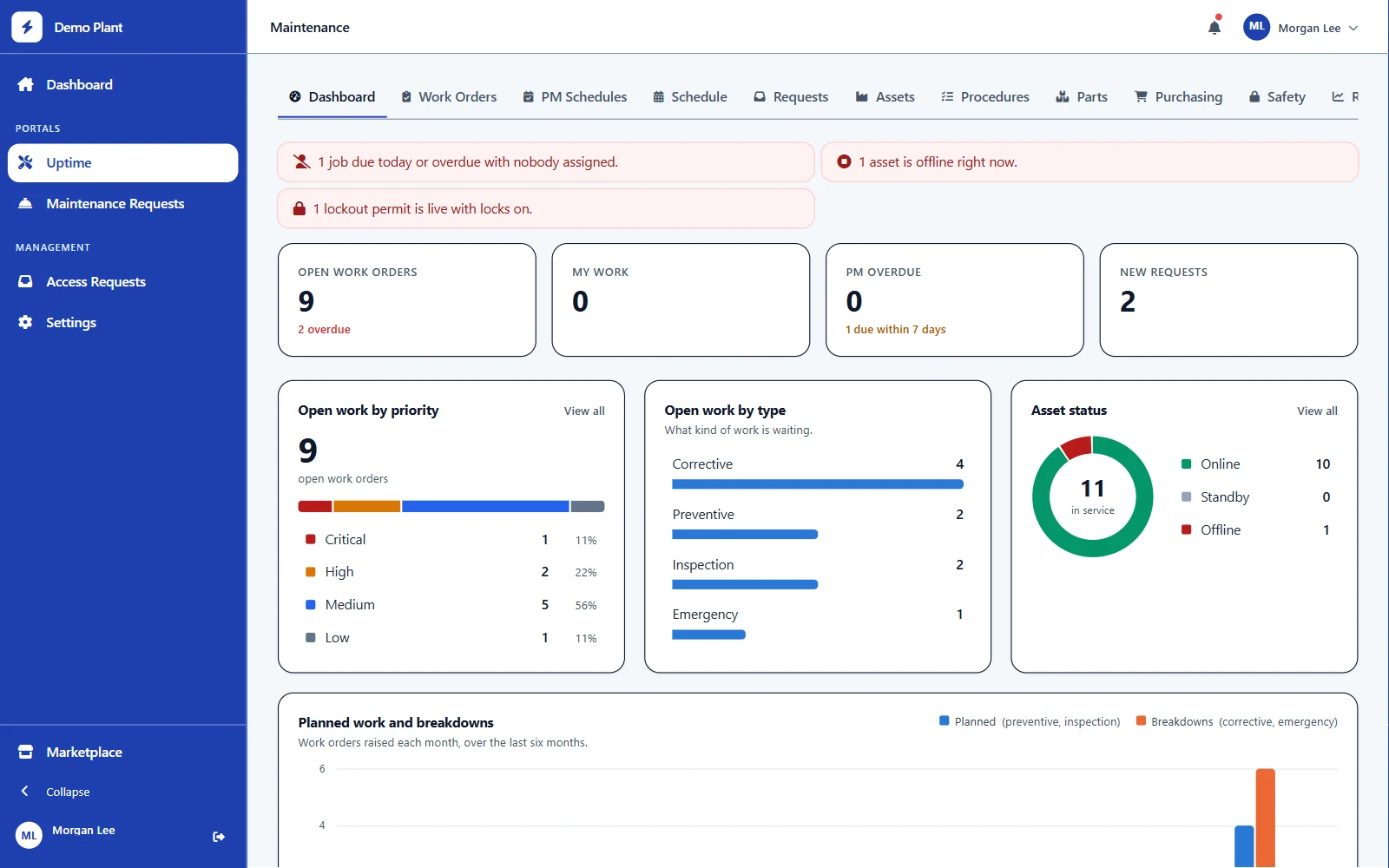
The whole plant at a glance
Open work by priority and type, asset status, overdue preventive maintenance and live lockouts on one screen. Each chart links straight to the work it counts.
F.02
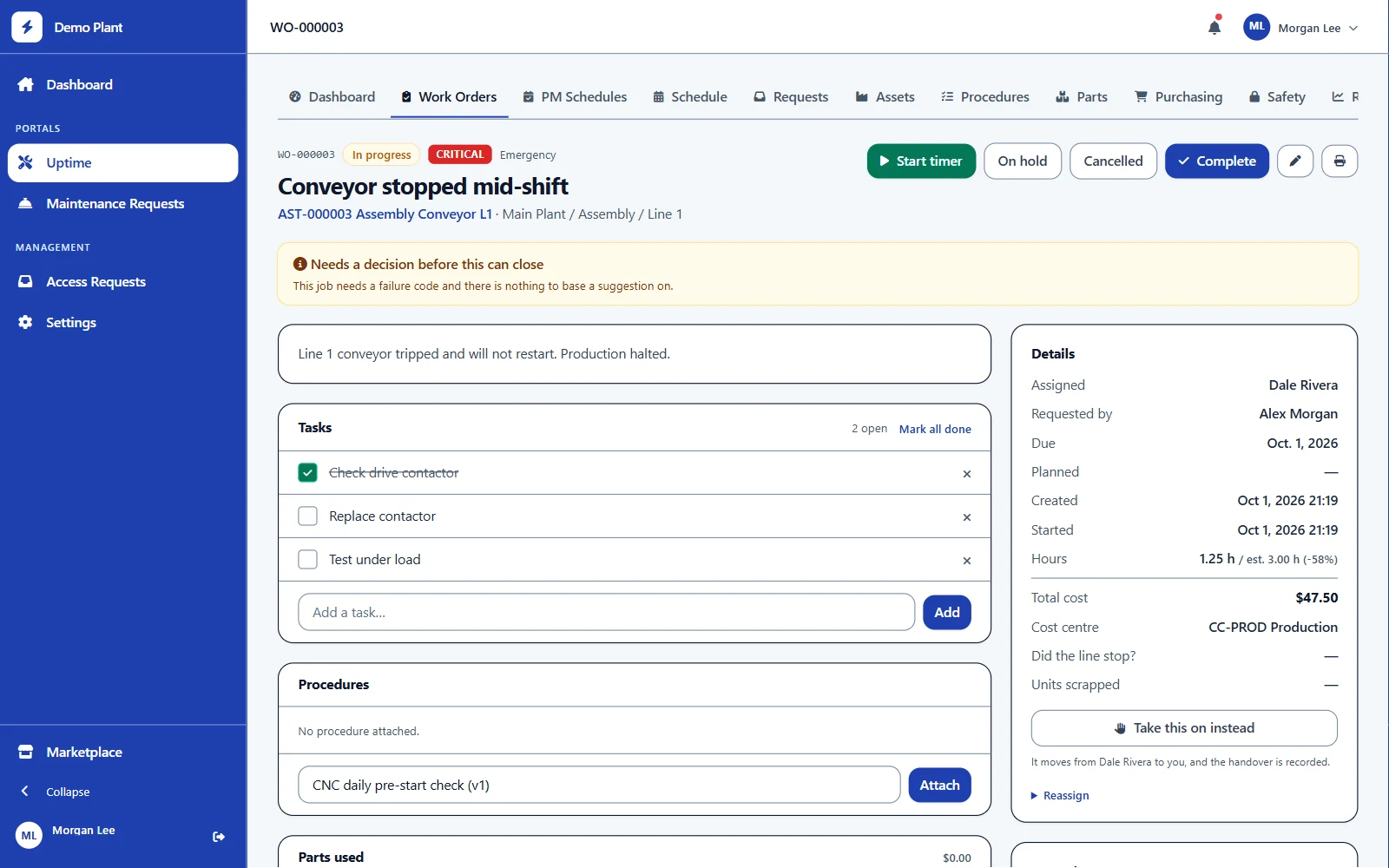
Work orders the whole crew can see
Tasks, labor, parts, costs and failure codes on one page. Any technician at the site can take over a job, and the handover is recorded. Print it in one click.
F.03
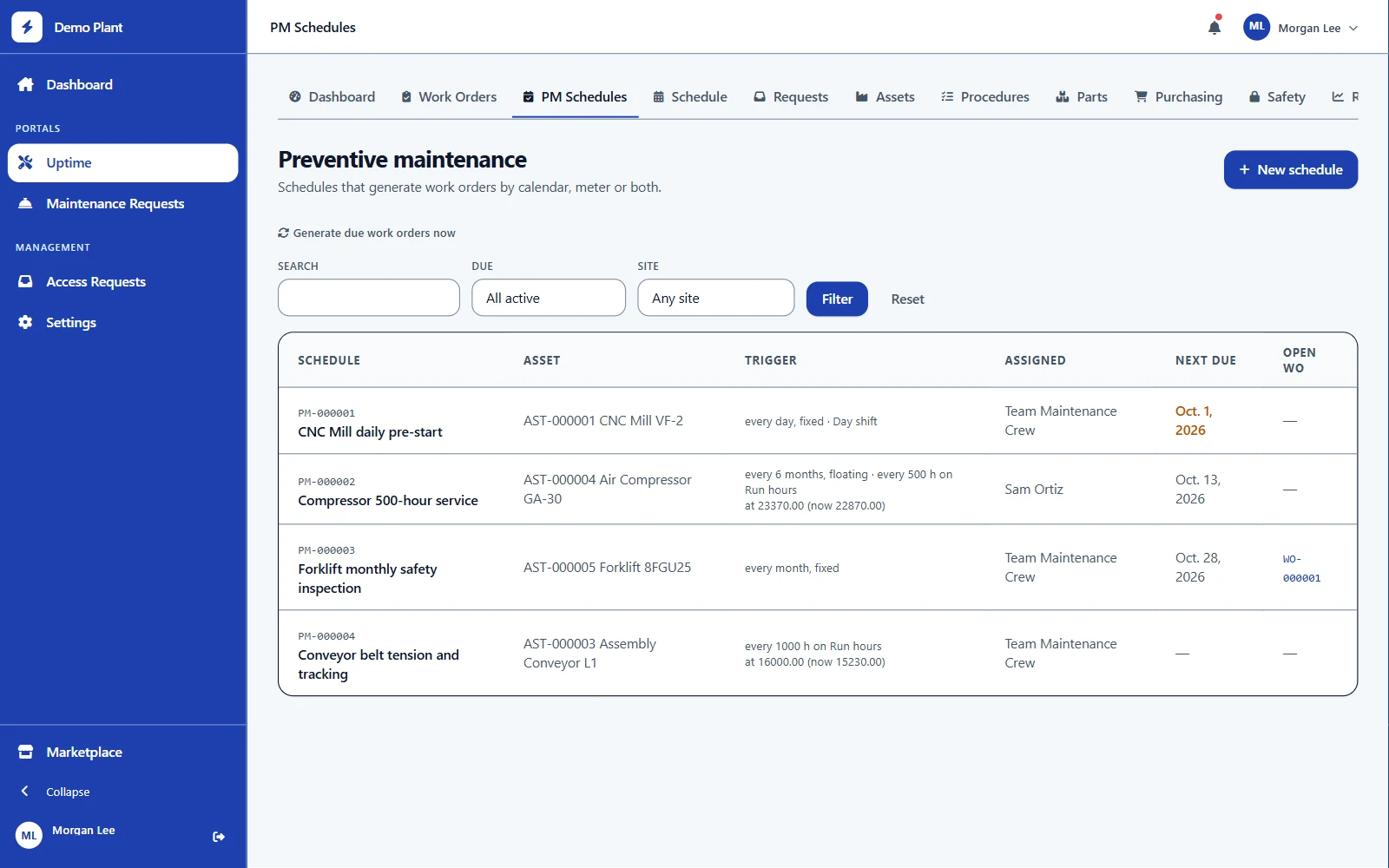
Preventive maintenance that plans itself
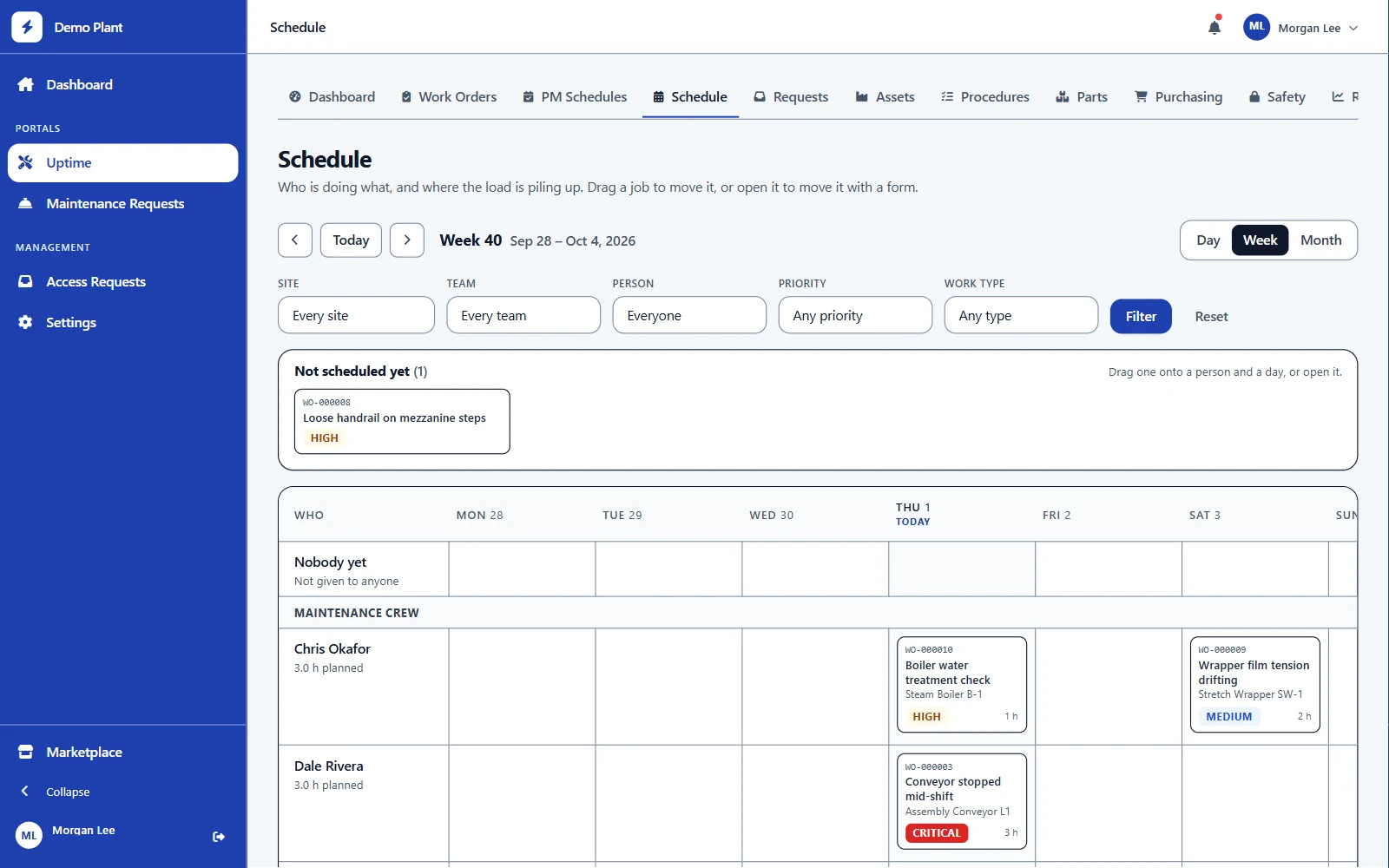
Schedule by calendar, by meter reading, or whichever comes first. Fixed schedules keep their dates; floating ones count from the last job done. Work orders appear ahead of the due date and can be tied to a shift.
F.04
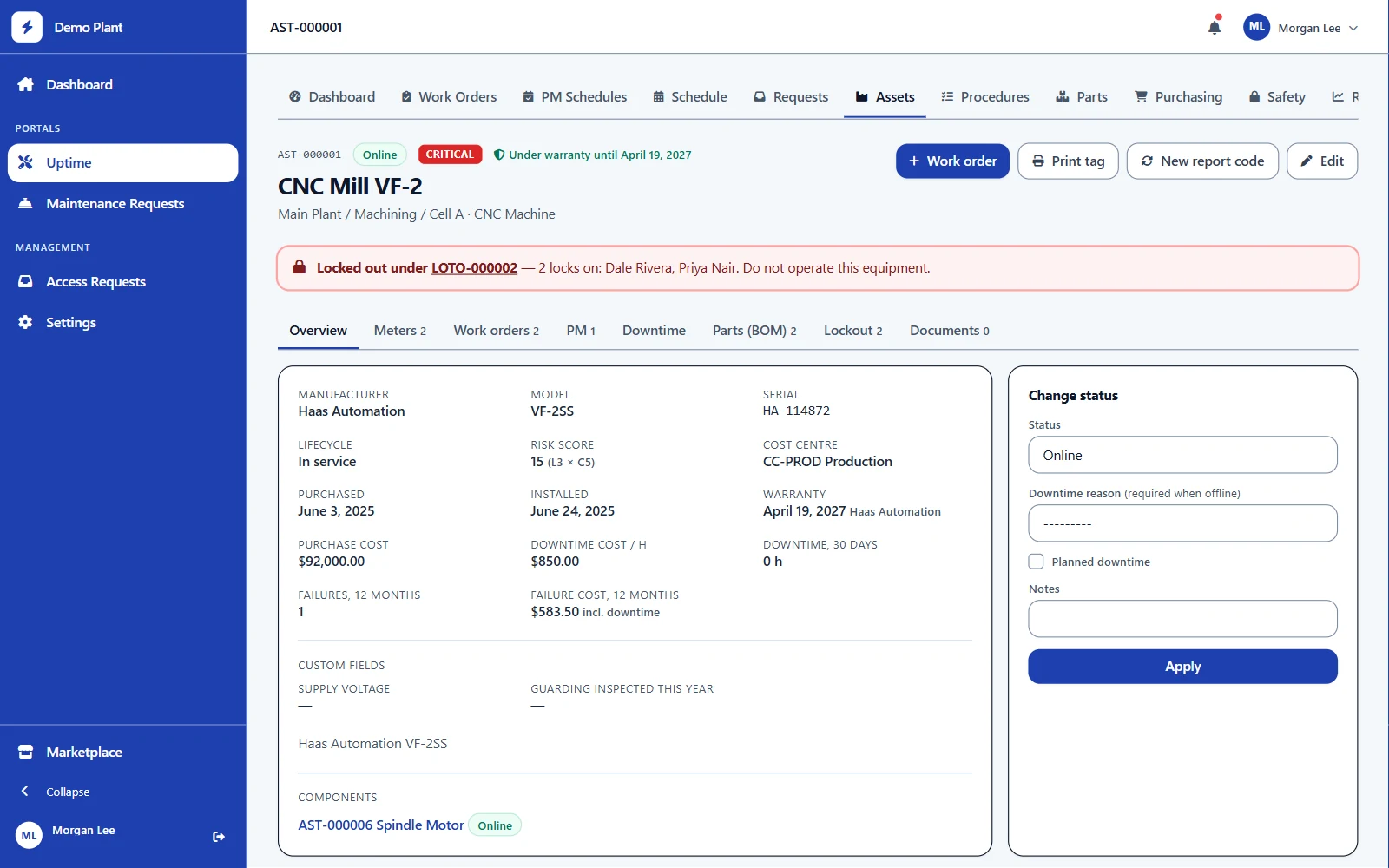
Every asset, its history and its tag
Location, warranty, meters, downtime, spare parts, components and failure costs in one record. You're warned before paying for a repair that's still under warranty. Print QR tags for one machine or a whole list.
F.05
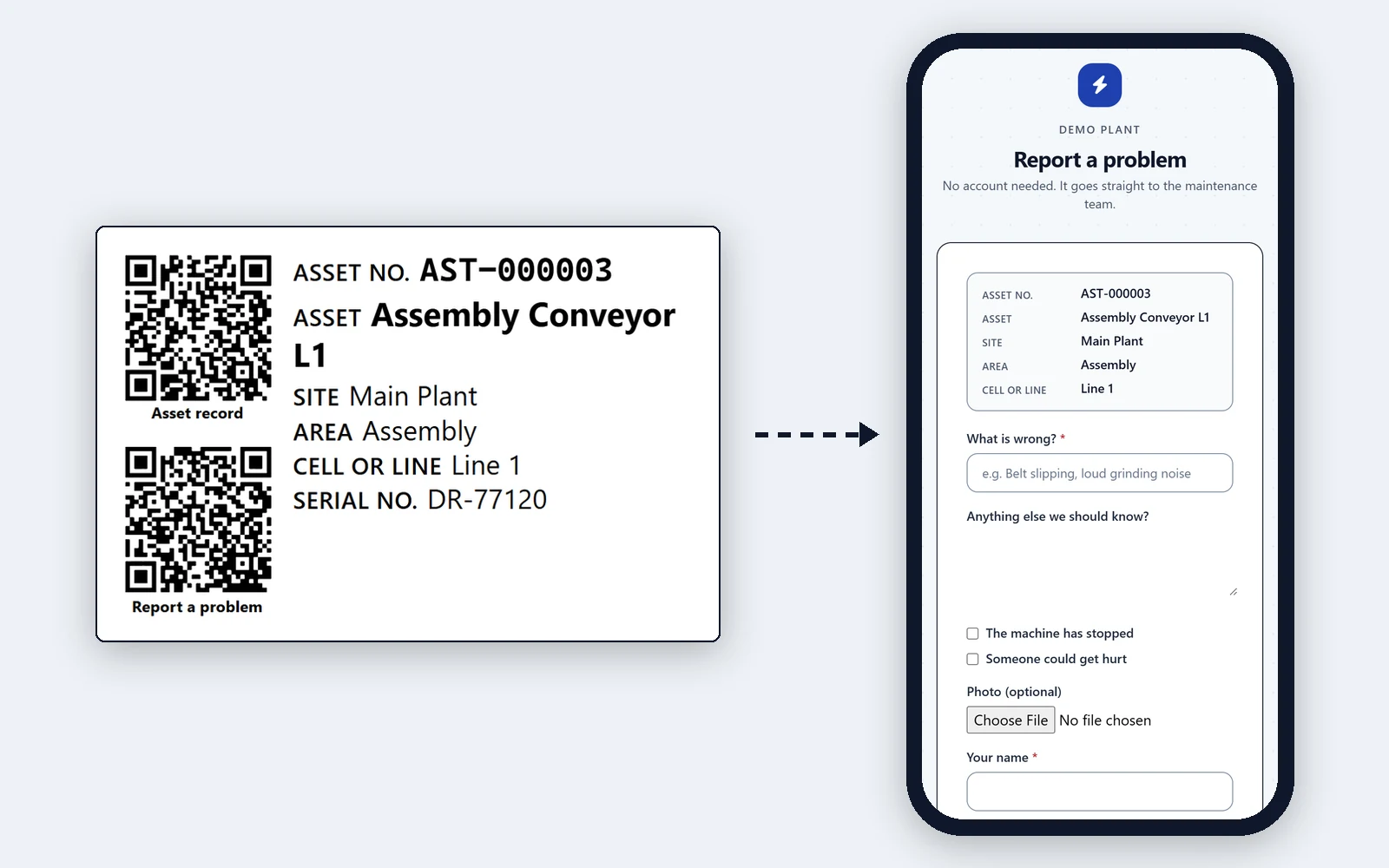
Anyone can report a problem
The QR tag on each machine opens a short form on any phone, with no account and no app. The report reaches maintenance as a request, and a technician turns it into a work order. Nothing sent from a tag changes a machine's status on its own.
F.06
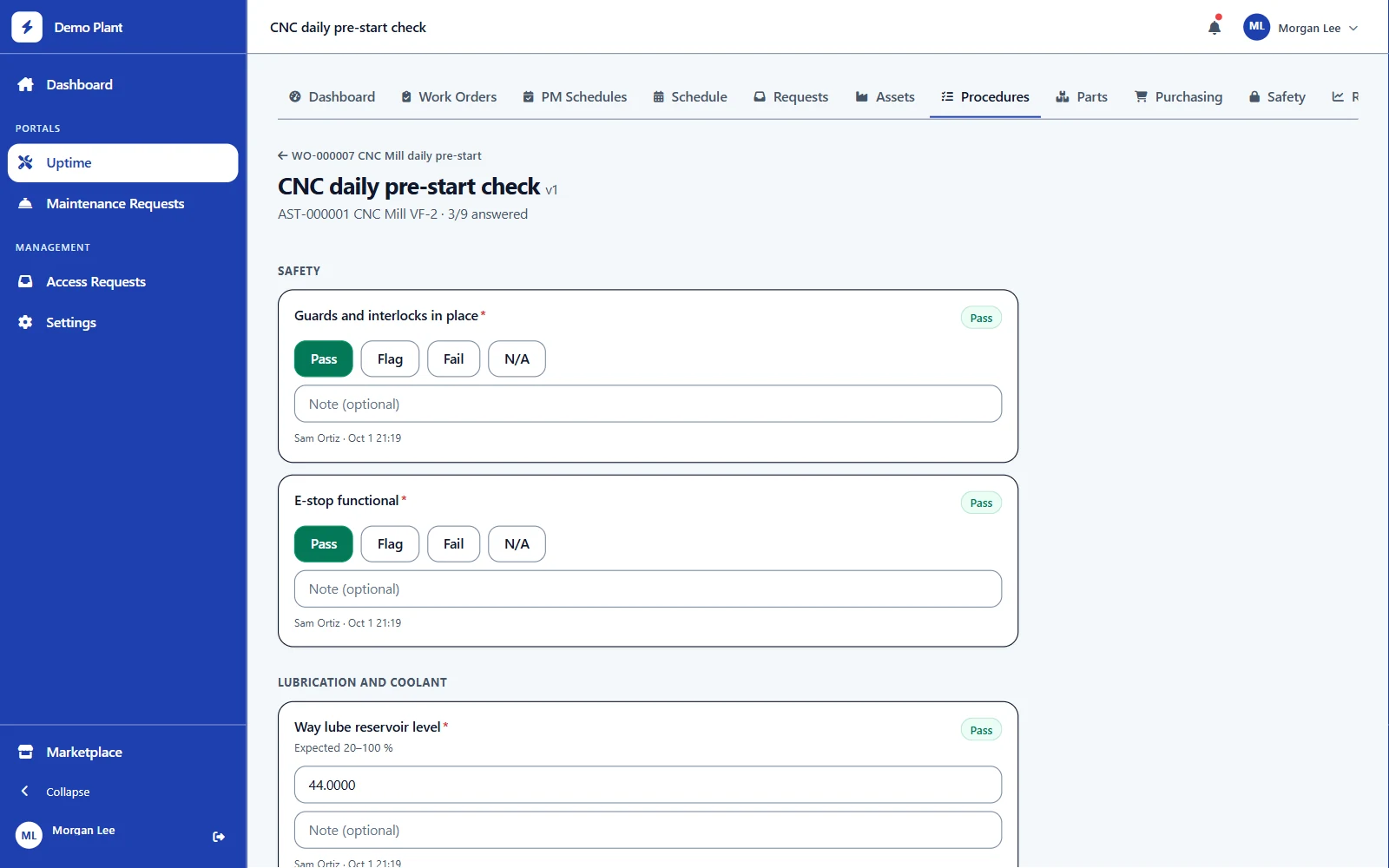
Inspections that open the repair
Checklists with pass, flag and fail checks, readings with limits, photos and signatures. A failed check can raise a corrective work order automatically. Procedures are versioned, so changing one never rewrites past results.
F.07
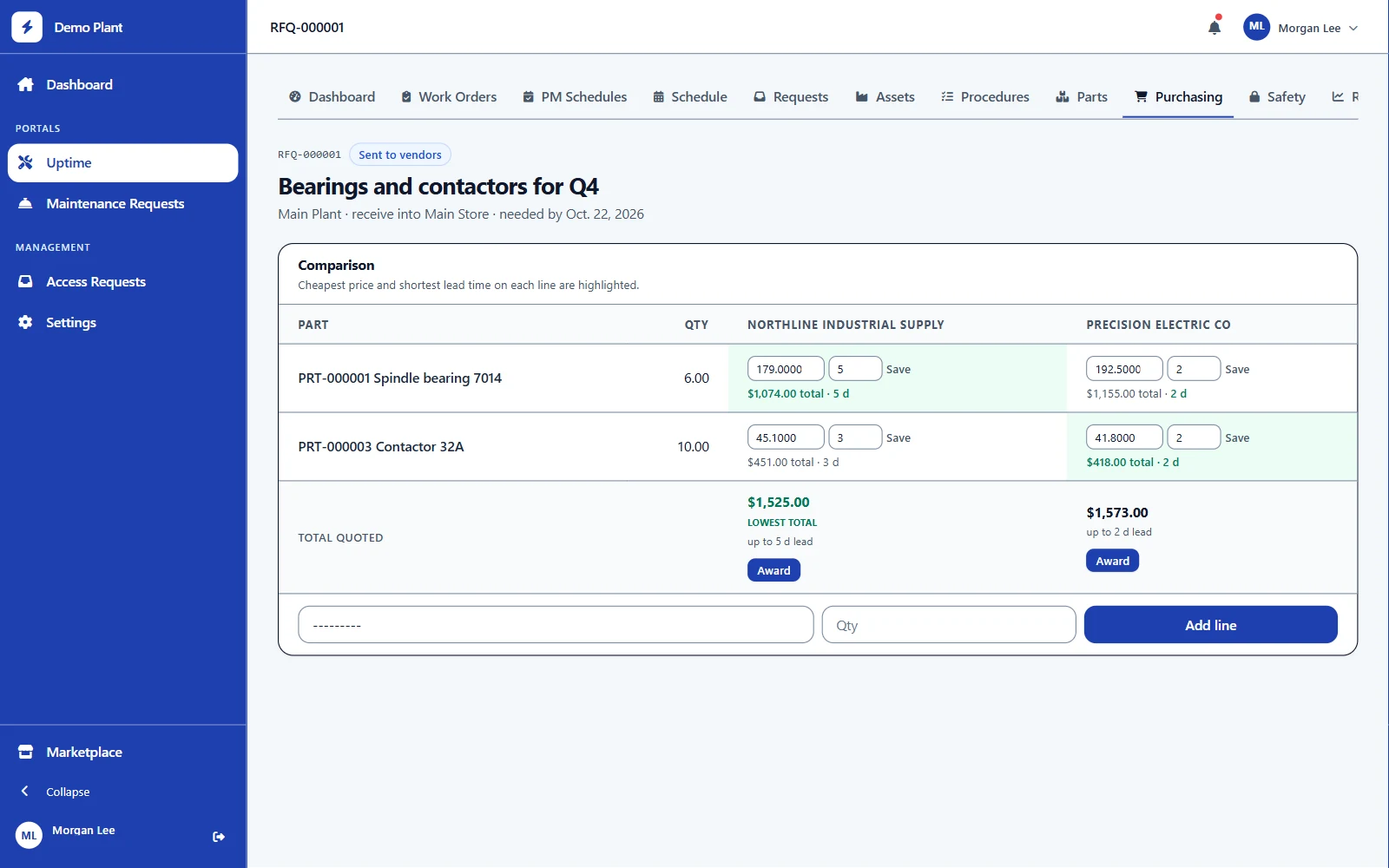
Parts and purchasing
Storerooms, bins, min/max levels and a full stock history. Raise orders straight from low stock, send them for approval by value, and compare supplier quotes side by side before you award.
F.08
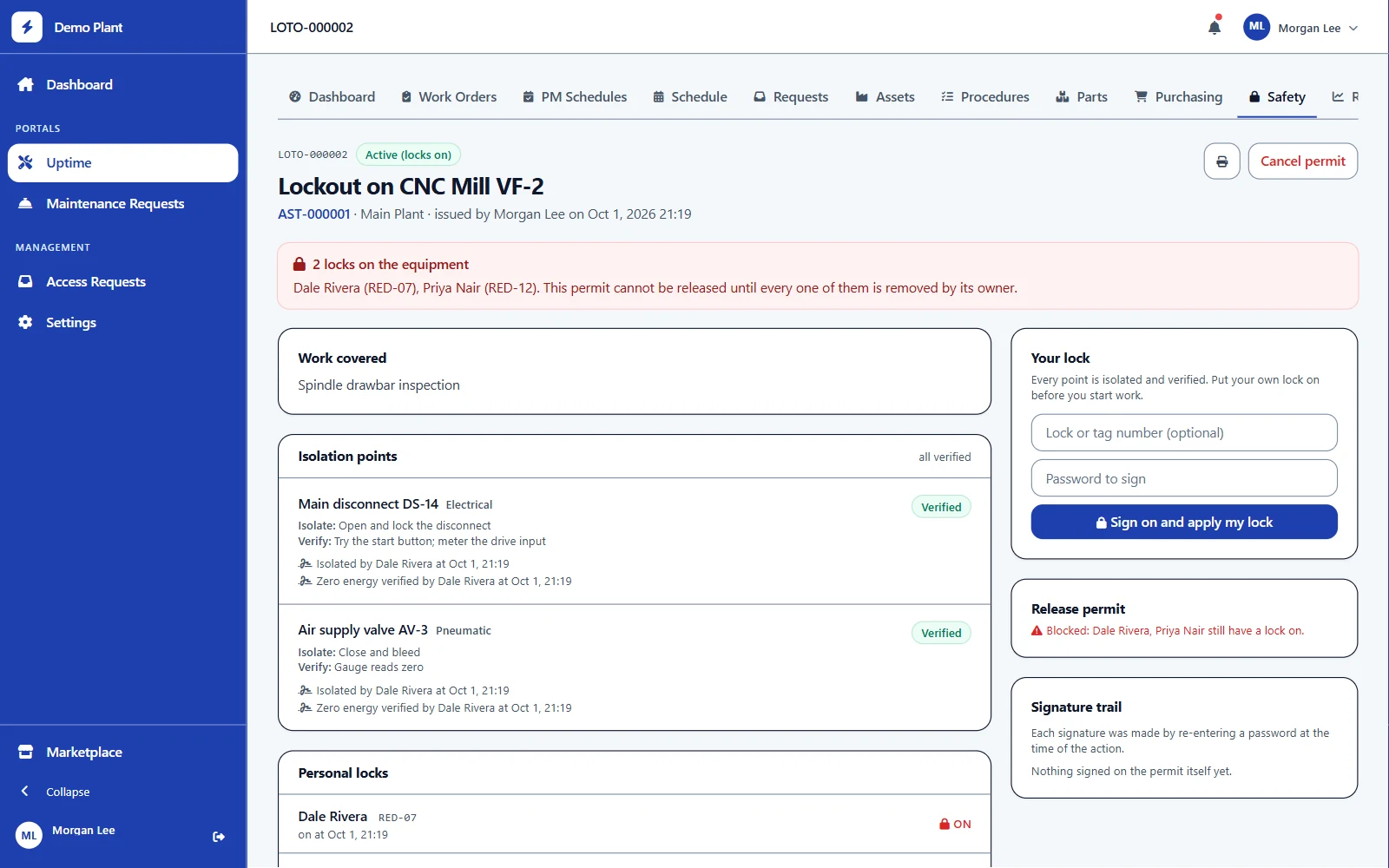
Lockout/tagout with signatures
Each machine's isolation points, verified one by one. Every worker puts on their own lock and signs with their password, and the permit can't be released until the last lock is off.
Figures · 2
CMMS
Figures
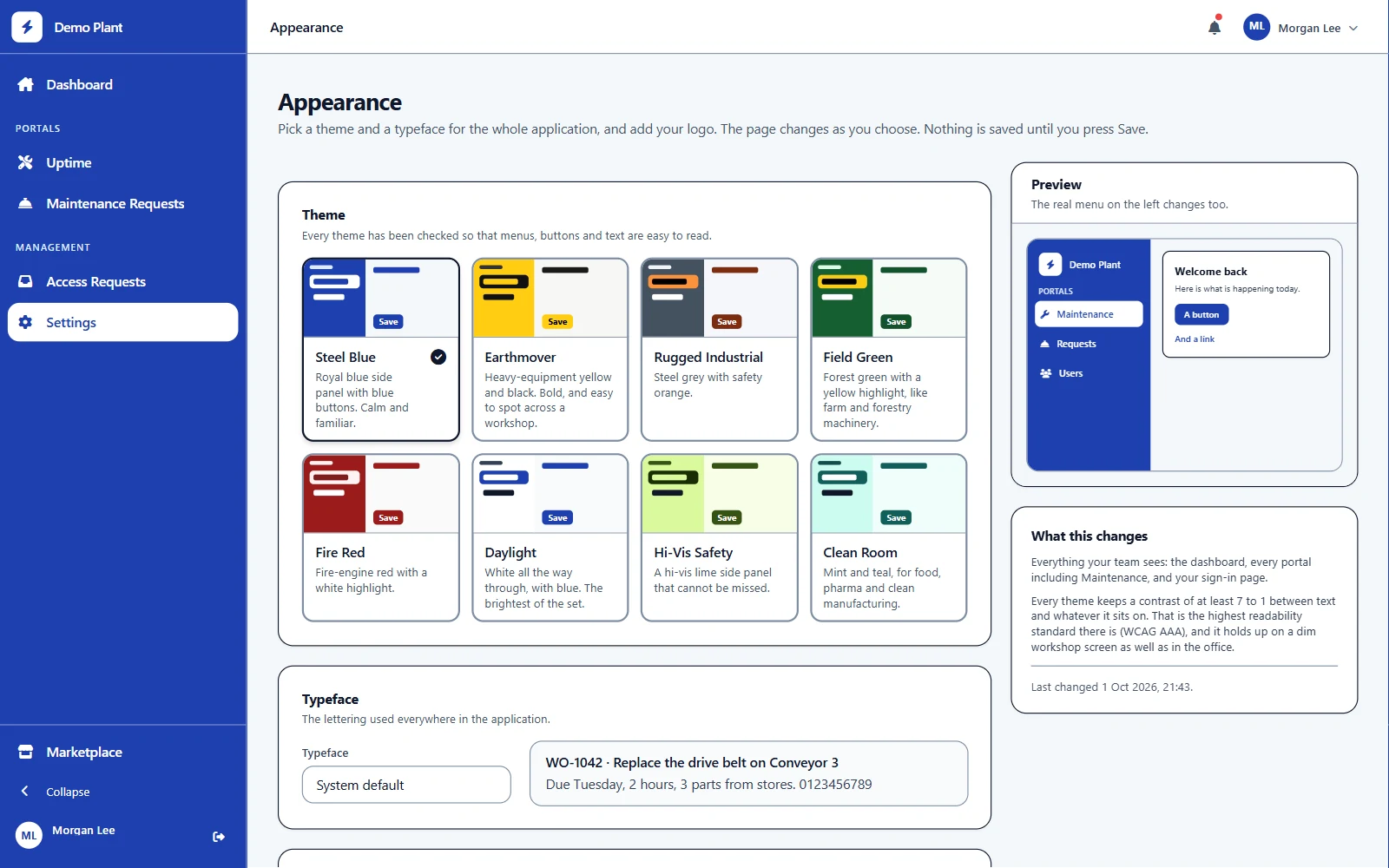
Make it yours.
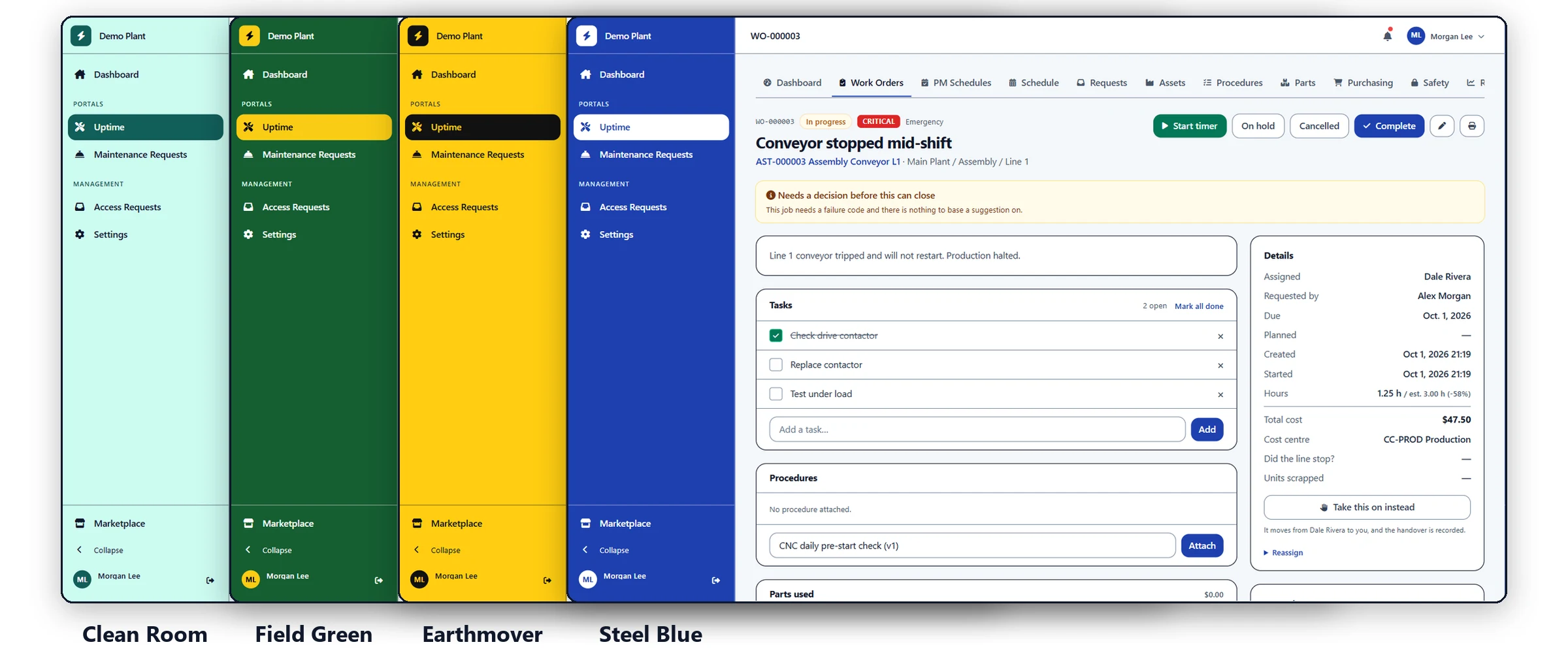
The same work order in four of the eight color themes. Each person can also soften the colors for themselves, and every combination stays easy to read.
03 / Connects to
04
- 01REST API
- 02Signed webhooks
- 03Meter readings over the API
- 04Excel, CSV, JSON and PDF import
See CMMS onyour own line.
A 45-minute walkthrough using your own asset list and open work orders.
Request a demo